
About the Nichirin My Page function
Thank you very much for your cooperation in registering your My Page (online pay slip).
To use this service, after registering your email address, you will need to perform two-step authentication the first time you log in.
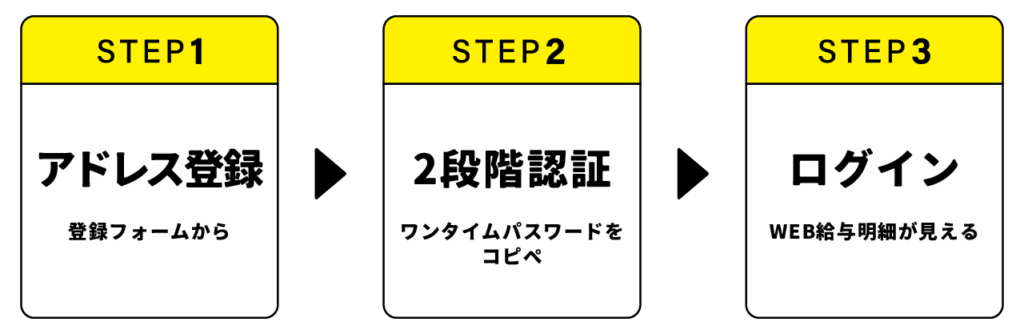
Please follow the steps below to use the service.
*If you have any questions, please contact our sales staff.
From now on, you will receive your pay slip, tax withholding slip, notices, etc. from this My Page, so please check it every month.
日本語 : 日輪マイページ機能について
Portugues : Sobre a função Minha Página de Nichirin
Email Address Registration
①Please register your email address using the form below.
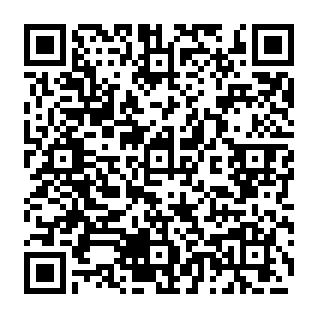
Email address registration form
②Please wait for an email from Nichirin to arrive at the registered email address. (It will take 2-3 days after registration.)
*For those using mobile phone carrier email,
there has been an increase in cases where emails are not delivered due to reception errors.
Please register "mypage@send.nichirinn.com" as a valid email address.
First-time use procedure
- Click on the menu or footer ( bottom ) of the Nichirin website
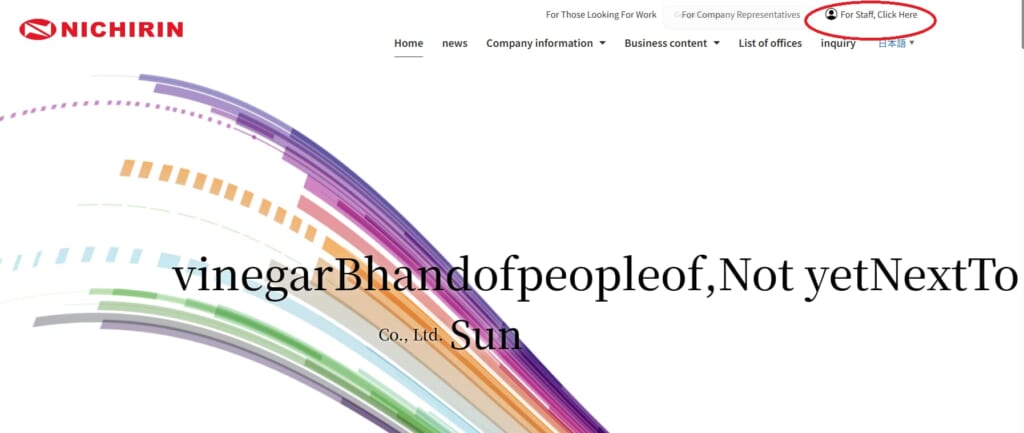
Footer
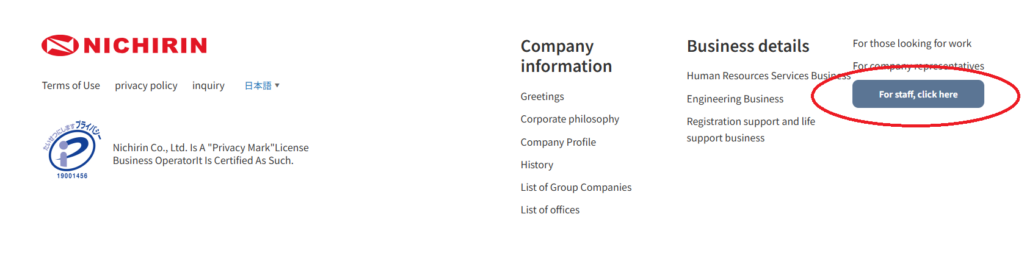
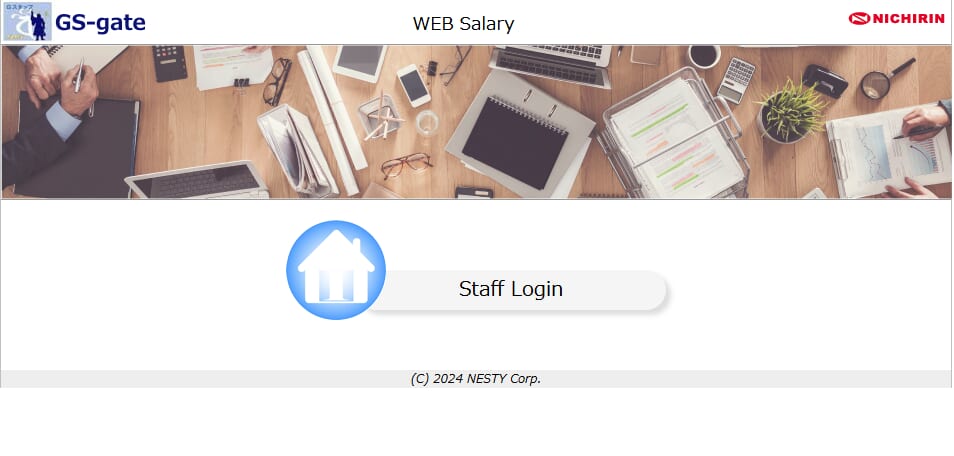
2. Click "Staff Login" from the top of the Hiwa My Page
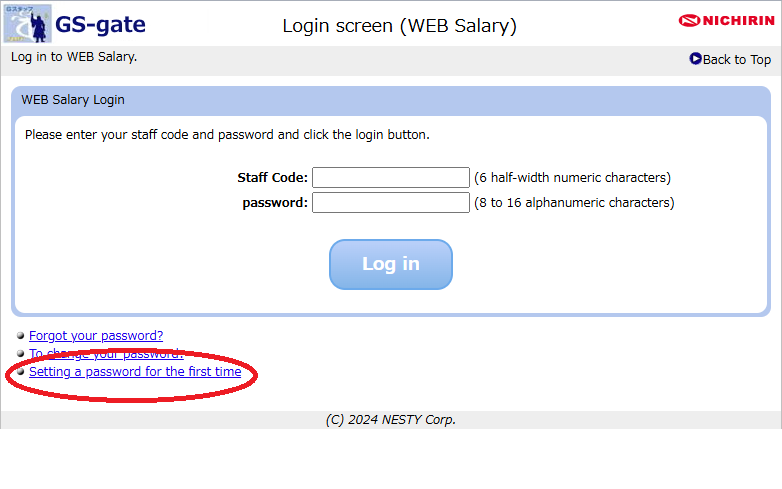
3. On the login screen, click "If you are setting a password for the first time"
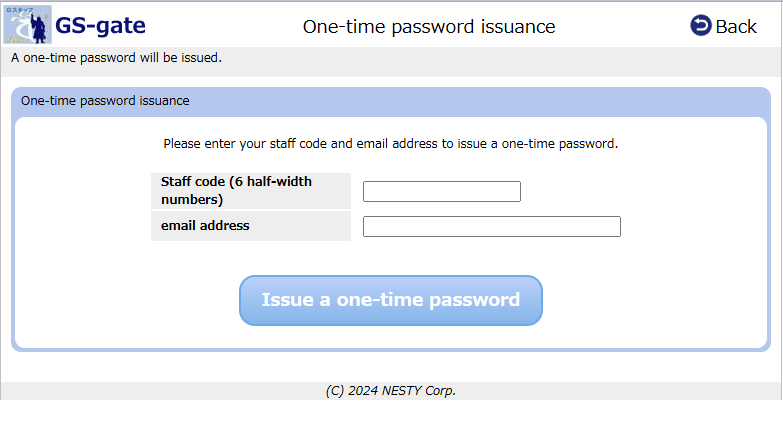
4. Enter your staff code and email address to issue a one-time password.
5. Open the registered address and check the "Password setting URL" and "One-time password"
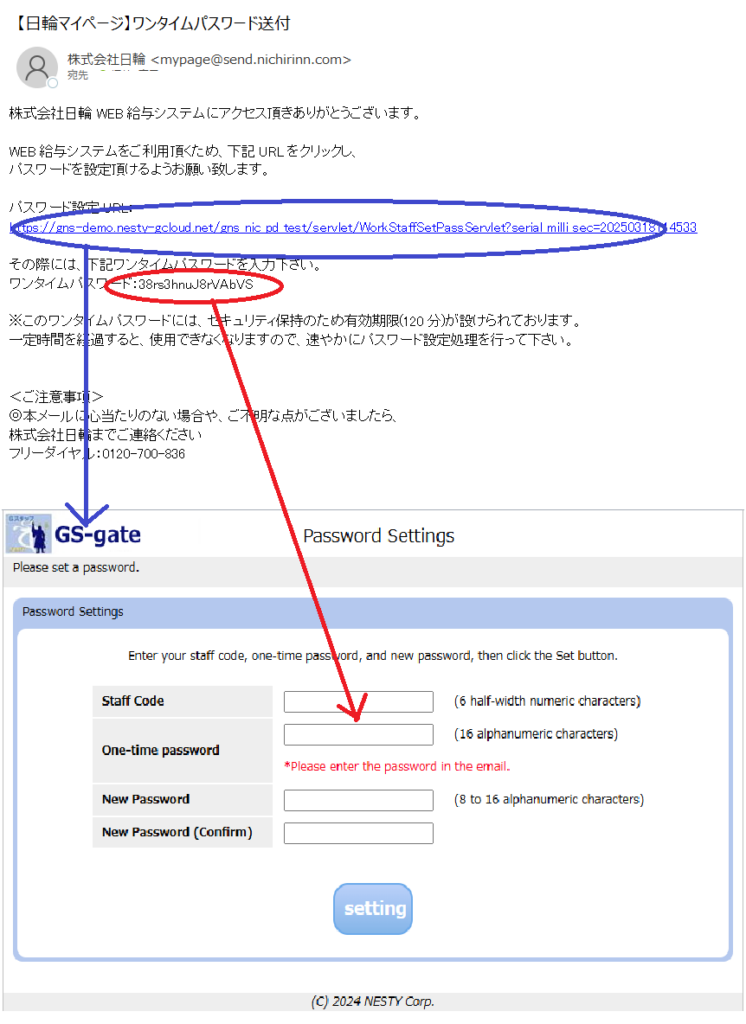
6. Enter the "staff code" and "one-time password" from the URL and set your own "new password"
This completes the initial registration process.
How to read your pay slip
- Go to the login screen
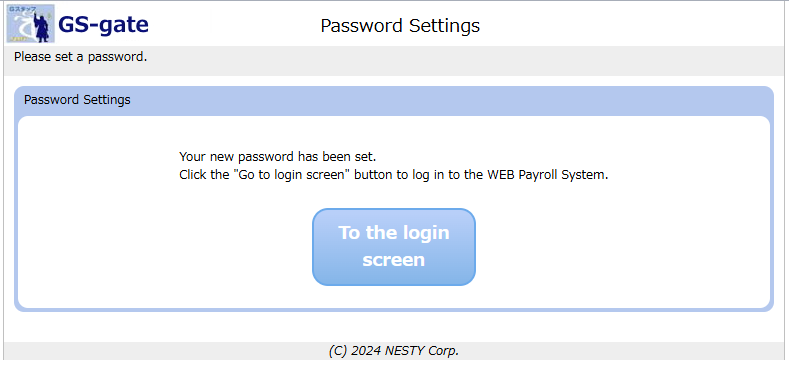
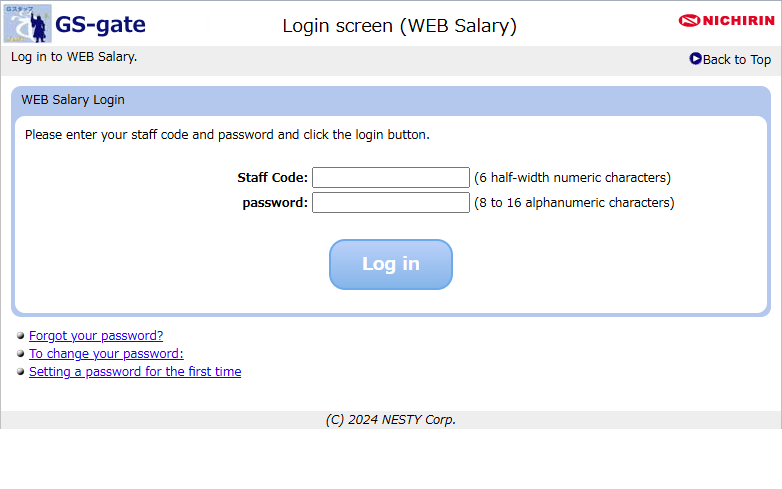
2. On the login screen, enter your staff code and the password you set.
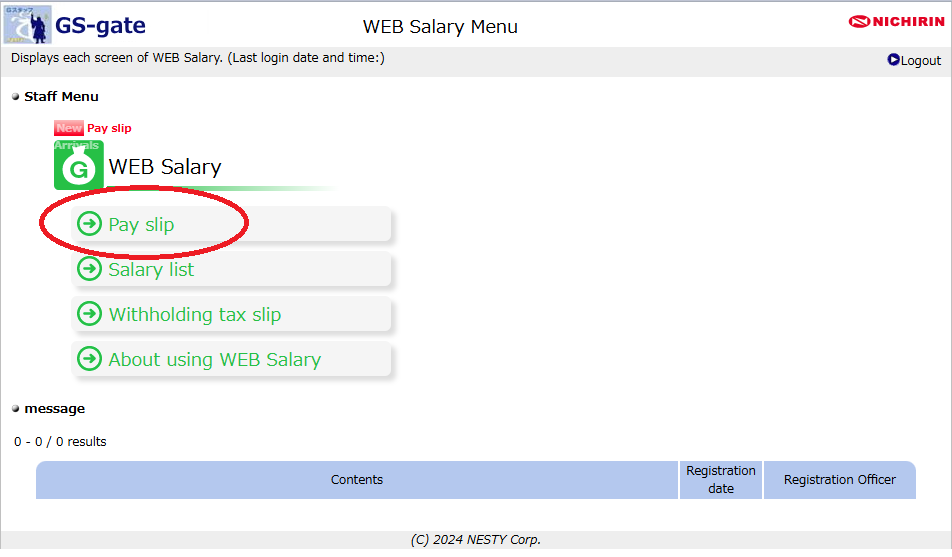
3. Click "Payslip" in the Staff menu.
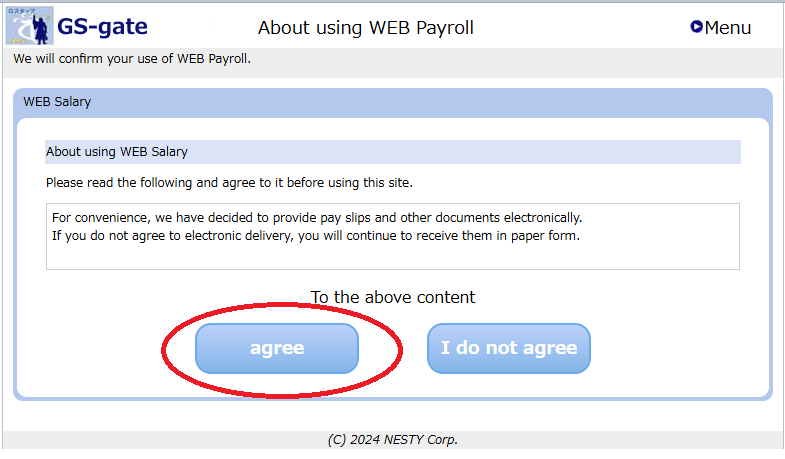
4. Select "Agree" when asked to agree
5. Click "Payment month" and "Display" in the search criteria
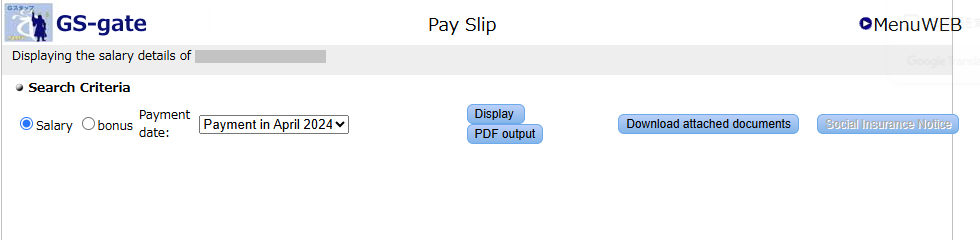
Here's how to read your pay slip.